MINISFORUM N5 Pro AI NAS Review: Compact Power for Traveling Creators
On-location production crews and mobile creators constantly grapple with massive media footprints, juggling multiple external solid-state drives and enduring sluggish transfer bottlenecks while trying to back up terabytes of daily raw footage. Setting up collaborative editing environments away from a permanent studio usually forces travel editors to choose between underpowered travel drives that lack multi-user…
11 min read


Reviewed
MINISFORUM N5 Pro
Buyer rating
Liked
The listing does not publish how many buyers rated it.
Price today
| Amazon | Not listed | View deal |
|---|
- Prime eligible
- Sold by MINISFORUM US, shipped by Amazon
We track one retailer, so this is not a price comparison. Affiliate link; price and stock come from the listing and change without notice.
What you need to know
- Boosting up to 5.1GHz across 12 cores and 24 threads with 24MB of cache memory, this chip brings genuine workstation computing power to the network storage category. MINISFORUM N5 Pro Features Explained
- Functioning as a portable Docker micro-server with ECC memory reliability for remote teams running database management and media transcoding containers. Best Use Cases
- While the unit comes pre-installed with MinisCloud OS on a built-in 128GB SSD, that drive physically occupies one of the three available internal M.2 sockets. Before You Buy
- Users interested in comparing modern high-density compute appliances can also check out our look at the minisforum ms-s1 max for alternative mobile studio… How It Compares With Similar Picks
- When asking is minisforum n5 worth it, the answer comes down to your bandwidth and workflow requirements. Bottom Line
One line lifted from each section below — follow the link to read that section in full.
As Amazon Associates, we earn from qualifying purchases. This means we may receive a small commission at no extra cost to you if you click through and make a purchase.
On-location production crews and mobile creators constantly grapple with massive media footprints, juggling multiple external solid-state drives and enduring sluggish transfer bottlenecks while trying to back up terabytes of daily raw footage. Setting up collaborative editing environments away from a permanent studio usually forces travel editors to choose between underpowered travel drives that lack multi-user support or massive enterprise server racks that are impossible to transport. The MINISFORUM N5 Pro tackles this logistical hurdle head-on, delivering an enterprise-grade mobile storage solution designed specifically for video editors, digital imaging technicians, and remote production teams needing high-bandwidth networked storage in a desktop footprint. As a compact 5 bay nas for creators, it provides a rare balance of high drive density, bleeding-edge connectivity, and workstation-level computational power.
Our verdict is clear: this unit stands out as an exceptional workstation-grade platform for teams who refuse to compromise on bandwidth, caching speed, or multi-user throughput on the road. Packing high-tier silicon, dual multi-gigabit networking ports, and unmatched external expandability, it handles intense post-production workloads without breaking a sweat. If your priority is building a lightning-fast, highly resilient mobile network where multiple editors can scrub raw timelines simultaneously, this compact five-bay desktop server proves to be a game-changing addition to any traveling kit.
Quick Verdict
The MINISFORUM N5 Pro delivers unmatched raw throughput and compute versatility for traveling production teams, packing top-tier hardware into a rugged five-bay metal enclosure. While it requires you to supply your own mechanical hard drives and storage SSDs, its remarkable hybrid drive configuration, ECC memory expansion, and multi-gigabit networking provide high-level mobile studio performance.
- Equipped with an AMD Ryzen AI 9 HX PRO 370 processor delivering 12 cores, 24 threads, and up to 80 TOPS for intensive concurrent file retrieval and background tasks.
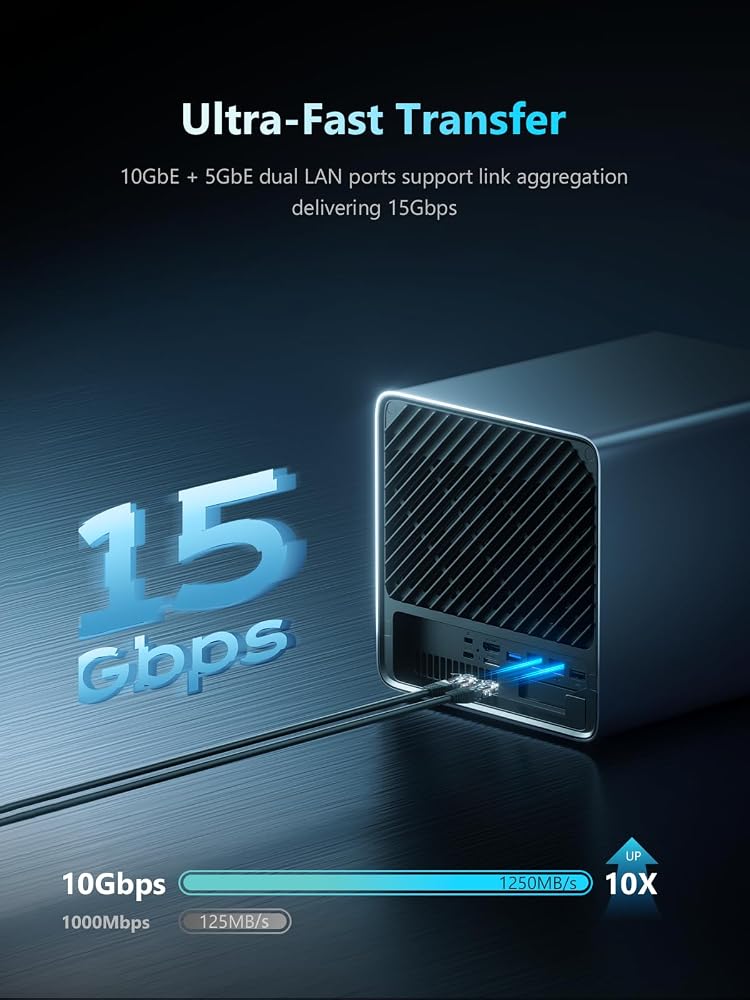
- Features dual high-speed network connections consisting of one 10GbE port and one 5GbE port with link aggregation support reaching up to 15 Gbps.
- Houses five 3.5-inch SATA bays alongside three NVMe slots with native support for high-end U.2 enterprise solid-state storage.
- Provides unmatched peripheral expansion with an external OCuLink interface, a PCIe x16 expansion slot, and dual 8K USB4 ports.
MINISFORUM N5 Pro Features Explained
AMD Ryzen AI 9 HX PRO 370 Processing Power
At the core of the MINISFORUM N5 Pro sits the advanced AMD Ryzen AI 9 HX PRO 370 processor, built on AMD Zen 5 and Zen 5c hybrid architecture. Boosting up to 5.1GHz across 12 cores and 24 threads with 24MB of cache memory, this chip brings genuine workstation computing power to the network storage category. NAS units typically rely on low-power, entry-level chips that struggle when multiple editors request high-bitrate video clips simultaneously. In contrast, this minisforum ai nas ryzen ai 9 implementation generates up to 80 TOPS of overall AI computational throughput, allowing the server to handle demanding real-time compression, multi-user isolation, metadata tagging, and heavy containerized workloads without system latency. Similar to high-performance micro-workstations such as the ryzen ai max hardware solutions, the processing unit maintains responsiveness even during heavy parity recalculations.
This substantial processing overhead changes how creative crews operate on location. When offloading hundreds of gigabytes of raw camera rushes at the end of a shooting day, the Ryzen processor effortlessly balances parity calculations, background checksum verification, and media indexing. Multiple team members can query the file server, preview proxy files, and transfer massive project directories concurrently without choking the operating system or suffering thermal throttling.
Extreme Network Bandwidth for Collaborative Workflows
Network throughput is often the most critical bottleneck for creative professionals working on shared timelines, and this is where the minisforum n5 10gbe nas configuration shows its engineering strength. The unit features one dedicated 10GbE port paired with a secondary 5GbE port, supporting link aggregation to reach combined transfer speeds of up to 15 Gbps. Backed by a rated data transfer rate of 10000 megabytes per second, this dual-LAN architecture ensures that an entire mobile post-production unit can connect over high-bandwidth switches without saturating individual pipeline connections.
In real-world production environments, having dedicated 10-gigabit throughput means editors can edit 4K ProRes or raw video directly off the network share, eliminating the tedious step of copying project files to local machine drives. The dual USB4 ports also support up to 20Gbps Thunderbolt Ethernet, giving direct-attached laptop editors another blazing-fast avenue for rapid offloading. When managing deadlines on tight travel schedules, the combined network capabilities keep the entire creative pipeline flowing smoothly.
Massive Hybrid Storage with U.2 and M.2 NVMe Flexibility
Storage capacity and speed must work in harmony, and the N5 Pro achieves this through an innovative hybrid bay layout. The main chassis accommodates five 3.5-inch SATA hard drives spinning at 7200 rpm, supporting up to 30TB per bay for a mechanical ceiling of 150TB. For ultra-low latency caching and scratch space, the unit provides internal expansion that can be configured either as three M.2 NVMe SSD slots or as one M.2 NVMe slot alongside two enterprise-grade U.2 NVMe SSD slots. This minisforum n5 pro u.2 nvme compatibility lets editors install high-end solid-state drives supporting capacities up to 15TB each, driving overall potential system storage up to 188TB.
This flexible tiering makes the minisforum n5 pro for video editing an exceptionally capable asset. Editors can configure the mechanical bays as a resilient ZFS storage pool for deep archiving and long-term project storage, while configuring the U.2 or M.2 NVMe drives as high-speed flash pools for active timelines and media scratch disks. Minisforum notes that the pre-installed MinisCloud OS resides on a built-in 128GB SSD that occupies one of the three internal M.2 slots; users who want to take advantage of all three internal M.2 sockets have the option to uninstall the system disk manually and repurpose the slot.
Workstation-Class Expansion with OCuLink and PCIe x16
Unlike conventional proprietary appliances that lock users into rigid hardware configurations, this unit offers expandability comparable to a dedicated desktop tower. The chassis incorporates an external OCuLink interface operating at PCIe 4.0 x4 bandwidth (64 Gbps). This minisforum n5 pro oculink interface enables users to connect an external discrete graphics card or specialized AI accelerator to dramatically speed up video rendering, machine learning models, and compute-heavy transcode pipelines while on location. Creative setups utilizing compact workstations like the minisforum atomman g1 pro appreciate this same modular connectivity.
Internally, the motherboard includes a full-size PCIe x16 slot that supports extra 10GbE network interface cards, discrete internal GPU expansion, or specialized SSD cache arrays. Minisforum engineered this system with a slide-out motherboard tray, making hardware maintenance, RAM installations, and SSD upgrades effortless. Cooling is managed by dual 9025 large axial fans that actively circulate airflow over the hard drive bays, ensuring thermal stability across sustained all-day transfer sessions.
Triple 8K Display Outputs and MinisCloud OS Architecture
The N5 Pro goes beyond traditional headless NAS operation by offering comprehensive direct display connectivity. It is equipped with one HDMI port supporting 8K at 60Hz or 4K at 144Hz, along with two USB4 ports also capable of 8K at 60Hz or 4K at 144Hz output. This triple-display capability allows mobile editors to connect up to three independent monitors directly to the device, transforming the file server into a functional desktop workstation when running Docker containers or compatible client environments.
On the software side, any thorough miniscloud os review reveals an operating system built to simplify deployment for creative professionals. Pre-installed on the internal 128GB SSD, MinisCloud OS supports Windows, macOS, iOS, and Android platforms. It natively incorporates ZFS snapshots, LZ4 real-time compression, multi-user isolation, Docker container applications, automated AI photo album organization, and one-click remote access. System memory is equally robust, utilizing two DDR5 SO-DIMM slots running at 5600 MT/s with support for up to 96GB of ECC error-correcting memory to safeguard data integrity against single-bit corruptions.
Specs
| Processor | AMD Ryzen AI 9 HX PRO 370 (12 cores, 24 threads, up to 5.1GHz, 80 TOPS) |
|---|---|
| System Memory | 2x DDR5 SO-DIMM (5600 MT/s), expandable up to 96GB ECC |
| Drive Bays | 5x 3.5-inch SATA HDD (supports up to 30TB per drive, 7200 rpm) |
| Solid-State Slots | 3x M.2 NVMe SSD or 1x M.2 NVMe + 2x U.2 NVMe SSD (up to 8TB + 15TB + 15TB) |
| Network Ports | 1x 10GbE LAN + 1x 5GbE LAN (Link aggregation up to 15 Gbps) |
| Display Output | 1x HDMI (8K@60Hz / 4K@144Hz), 2x USB4 (8K@60Hz / 4K@144Hz) |
| Expansion Interfaces | 1x OCuLink (PCIe 4.0 x4, 64 Gbps), 1x PCIe x16 slot, USB 3.2 Gen 2 |
| Pre-Installed Storage | 128GB SSD (pre-loaded with MinisCloud OS, occupies one M.2 slot) |
| Cooling System | Dual 9025 large axial fans, slide-out motherboard design |
| Chassis Material | Black metal desktop enclosure |
Full spec sheet from the listing (28 entries)
| 0 | Digital Storage Capacity, 144 TB |
|---|---|
| 1 | Hard Disk Interface, Serial ATA |
| 2 | Connectivity Technology, 8K USB4, 8K HDMI, USB3.2, LAN(10GbE+5GbE), SATA, OCuLink |
| 4 | Hard Disk Form Factor, 3.5 inches |
| 5 | Compatible Devices, Desktop, Laptop, Smartphone, Tablet, Television |
| 6 | Hard Disk Rotational Speed, 7200 rpm |
| 7 | Specific Uses For Product, Business, Multimedia, Personal |
| 8 | Cache Memory Installed Size, 24 MB |
| 9 | Data Transfer Rate, 10000 megabytes_per_second |
| 10 | Form Factor, 3.5-inch |
| 11 | Hardware Connectivity, PCIE x 16, SATA 3.0 Gb/s, USB 3.2 Gen 2 |
| 12 | Hardware Platform, PC |
| 13 | Installation Type, Desktop |
| 14 | Color, Black |
| 15 | Enclosure Material, Metal |
| 16 | Brand, MINISFORUM |
| 17 | Model Number, N5-PRO-P370 |
| 18 | Hard Disk Description, 5x SATA, 1x M.2 NVMe Slot, 2x U.2/M.2 NVMe Slots |
| 19 | Built-In Media, 1x HDMI cable, 1x M.2 to U.2 Adapter, 1x N5 PRO P370 NAS, 1x Network cable, Power Adapter |
| 20 | Model Name, N5-PRO-P370 |
| 21 | Manufacturer, Micro Computer (HK) Tech Limited |
| 22 | Warranty Description, 2 |
| 23 | Best Sellers Rank, #12 in Network Attached Storage (NAS) Devices |
| 24 | ASIN, B0FDQKFQVY |
| 25 | Hard-Drive Size, 188 TB |
| 26 | Item Dimensions L x W x Thickness, 7.95"L x 7.83"W x 9.92"Th |
| 27 | Number of Items, 1 |
| 28 | Unit Count, 5 Count |
Quoted from the product listing, not measured by us.
MINISFORUM N5 Pro Pros and Cons
Pros
- AMD Ryzen AI 9 HX PRO 370 12-core processor
- Dual 10GbE and 5GbE ports with link aggregation
- Triple 8K display outputs with dual USB4
- High-speed PCIe x16 and OCuLink expansion
- Supports up to 96GB DDR5 ECC memory
- Hybrid bay support for U.2 and M.2 NVMe drives
Cons
- Diskless configuration requires buying separate drives
- Pre-installed OS SSD takes up one M.2 slot
- Loaded five-bay metal enclosure adds travel weight
Check MINISFORUM N5 Pro on Amazon
Best Use Cases
- Acting as a centralized on-set storage hub for multi-camera video crews dumping high-bitrate raw files over 10GbE networks.
- Providing collaborative shared scratch storage for traveling video editors cutting ProRes and 8K footage across networked workstations.
- Serving as an automated offload and backup repository for mobile production units utilizing high-capacity U.2 and M.2 solid-state drives.
- Functioning as a portable Docker micro-server with ECC memory reliability for remote teams running database management and media transcoding containers.
Before You Buy
Before investing in this unit, you must evaluate your storage setup and transport logistics carefully. The MINISFORUM N5 Pro is sold as a diskless enclosure, meaning you must supply and install your own 3.5-inch SATA hard drives and NVMe solid-state storage. While the unit comes pre-installed with MinisCloud OS on a built-in 128GB SSD, that drive physically occupies one of the three available internal M.2 sockets. If your planned configuration requires using all three M.2 bays for high-speed cache or storage pools, the listing explains that you must uninstall the factory system drive yourself and manage OS deployment accordingly.
Compatibility with operating systems is straightforward across Windows, macOS, Android, and iOS through the MinisCloud OS interface. However, when planning portable studio nas storage setups for air travel, remember that five mechanical 3.5-inch hard drives combined with a solid metal enclosure add meaningful weight to carry-on bags or production flight cases. The listing does not specify bundled accessories such as Ethernet cables, OCuLink adapter cards, or drive mounting screws, so you should ensure you have your cabling and compatible U.2 or M.2 adapters prepared prior to deployment.
How It Compares With Similar Picks
| Product | Best For | Key Difference |
|---|---|---|
| MINISFORUM N5 Pro | High-throughput video production and creative teams | AMD Ryzen AI 9 HX PRO 370, 10GbE+5GbE LAN, OCuLink, U.2 NVMe support |
| Home Media & Data Center | Budget-conscious home media servers and personal storage | 2-bay design powered by an Intel N100 processor with 2.5GbE networking |
| Docker Support | Entry-level personal clouds and smartphone backups | Compact 2-bay enclosure featuring 4GB RAM and a single 2.5GbE network port |
| Intel 120U 10-Core CPU | Small business office servers needing six drive bays | Intel 120U 10-core chip with 6 drive bays, dual 10GbE, and Thunderbolt 4 |
Choosing an alternative depends heavily on your team size and bandwidth demands. If you only require a lightweight personal cloud to store home media, host Plex containers, and back up phone photos without needing multi-gigabit throughput, a compact dual-bay unit like the Home Media & Data Center or the Docker Support unit offers a simpler, low-overhead setup. Conversely, teams looking for a six-bay form factor powered by an Intel architecture might lean toward the Intel 120U 10-Core CPU option, whereas creators who demand high-tier AI processing power, OCuLink discrete GPU expandability, and hybrid U.2 enterprise storage will find the N5 Pro far more capable. Users interested in comparing modern high-density compute appliances can also check out our look at the minisforum ms-s1 max for alternative mobile studio configurations.

Bottom Line
The MINISFORUM N5 Pro establishes a new benchmark for what high-performance network storage can deliver in a compact desktop profile. By combining the 12-core AMD Ryzen AI 9 processor with 10GbE and 5GbE networking, a 96GB ECC memory ceiling, and enterprise-grade U.2 solid-state compatibility, it eradicates the data bottlenecks that routinely slow down collaborative creative workflows. For traveling editors and production teams managing terabytes of raw camera footage, its rapid data transfer speeds and slide-out modular design provide exceptional production reliability.
When asking is minisforum n5 worth it, the answer comes down to your bandwidth and workflow requirements. If your work revolves around high-bitrate multi-user video editing, complex Docker virtualization, and intensive on-site data ingestion, the investment in this hardware platform pays immediate dividends in saved turnaround time. It represents a serious, forward-looking mobile storage backbone that elevates on-location editing to true studio-grade standards.
FAQ
Does the MINISFORUM N5 Pro come with pre-installed storage drives?
The MINISFORUM N5 Pro is sold diskless, meaning it does not include mechanical hard drives or storage solid-state drives in the box. However, it does come with a built-in 128GB SSD pre-loaded with MinisCloud OS, which occupies one of the three internal M.2 slots out of the box.
Can you edit video footage directly over the 10GbE network connection?
Yes, the 10GbE network interface provides theoretical bandwidth exceeding 1,000 megabytes per second, which allows video editors to edit high-bitrate 4K and 8K media directly from network shares without needing to copy files to their local machine drives first.
How does the OCuLink port expand the capabilities of the NAS?
The OCuLink interface operates over PCIe 4.0 x4 at speeds up to 64 Gbps, allowing users to connect external discrete graphics cards or dedicated AI accelerators to handle heavy rendering, video transcoding, and complex machine learning workflows.
What is the maximum memory capacity supported by the N5 Pro?
The system features two DDR5 SO-DIMM memory slots running at 5600 MT/s that support up to 96GB of ECC error-correcting memory, ensuring system stability and automated detection of data bit errors during critical file operations.
Can I install enterprise U.2 NVMe drives in this unit?
Yes, the internal drive architecture can be configured to host one M.2 NVMe SSD alongside two enterprise-grade U.2 NVMe SSDs supporting capacities up to 15TB each, providing ultra-high-speed flash storage for demanding caching and scratch disks.
How this site works
- 194reviews published
- 2,323products with a buyer rating
- 2,260products with listed features
- 84brands covered
Ratings, prices, stock and specifications are read from the Amazon product listing. We do not run lab tests of our own, so a score here is the average rating left by buyers, not a verdict from a test bench. We track one retailer, so prices here are not a comparison.



