OWC Thunderbolt Hub Review: Portable Performance for Field Editors
Traveling digital imaging technicians, documentary videographers, and mobile creative editors constantly battle port shortages, transfer rate bottlenecks, and cable clutter when operating out of temporary production spaces. While many on-the-go professionals routinely seek an owc thunderbolt 4 hub to run external solid-state scratch drives and external displays, the introduction of the OWC Thunderbolt 5 Hub…
7 min read





Reviewed
OWC Thunderbolt 5 Hub
Buyer rating
Well liked
The listing does not publish how many buyers rated it.
Price today
| Amazon | Not listed | View deal |
|---|
- Prime eligible
- Sold by OWC (Other World Computing), shipped by Amazon
We track one retailer, so this is not a price comparison. Affiliate link; price and stock come from the listing and change without notice.
What you need to know
- This hub delivers up to 80Gb/s of bi-directional data speed, scaling up to 120Gb/s with Bandwidth Boost when high-resolution display bandwidth demands it. OWC Thunderbolt 5 Hub Features Explained
- Mobile media ingest carts where DITs must frequently connect and disconnect bus-powered drives without resetting other connected devices. Best Use Cases
- Although the aluminum hub body is compact at 382 grams, the included 140W power supply measures 3 inches by 6 inches by 1 inch and must be connected to mains power… Before You Buy
- The 85W Max PD hub is well-suited for creators who prioritize integrated SD card slots and lower carry weight, while the 4x USB-C 3.2 Gen 2 adapter serves travelers… How It Compares With Similar Picks
- With its massive 80Gb/s bi-directional throughput, 120Gb/s video bandwidth headroom, and 140W charging delivery, it easily powers through heavy video timelines and… Bottom Line
One line lifted from each section below — follow the link to read that section in full.
As Amazon Associates, we earn from qualifying purchases. This means we may receive a small commission at no extra cost to you if you click through and make a purchase.
Traveling digital imaging technicians, documentary videographers, and mobile creative editors constantly battle port shortages, transfer rate bottlenecks, and cable clutter when operating out of temporary production spaces. While many on-the-go professionals routinely seek an owc thunderbolt 4 hub to run external solid-state scratch drives and external displays, the introduction of the OWC Thunderbolt 5 Hub brings next-generation connectivity to mobile workstations without leaving current hardware behind.
For field editors deciding if this compact expansion unit fits a mobile gear bag, the short verdict is clear: it delivers unmatched transmission speeds, robust power, and broad protocol compatibility. While the external power brick adds physical bulk to an ultra-minimalist kit, its charging capacity and multi-stream data headroom make it a stellar command center for high-demand editing on location.
Quick Verdict
The OWC Thunderbolt 5 Hub stands out as an exceptionally capable connectivity solution for traveling creators, pairing full backward compatibility for existing machines with bandwidth that easily handles intensive video offloads.
- Up to 80Gb/s bi-directional throughput with 120Gb/s Bandwidth Boost for intensive video workflows.
- Massive 140W host charging capacity eliminates the need for separate laptop power bricks.
- Three distinct daisy-chain branches allow hot-swapping bus-powered drives without disturbing other devices.
- Solid fanless aluminum chassis ensures silent operation in sound-sensitive mobile environments.
OWC Thunderbolt 5 Hub Features Explained
Next-Generation Bandwidth and Universal Host Compatibility
When assembling an efficient mobile edit suite, data throughput dictates how quickly camera cards clear and render caches load. This hub delivers up to 80Gb/s of bi-directional data speed, scaling up to 120Gb/s with Bandwidth Boost when high-resolution display bandwidth demands it. For current workstation owners, full owc thunderbolt 4 compatibility ensures that plugging into existing computers operates smoothly at full interface capacity without handshake errors.
This design makes the device practical as an owc thunderbolt hub for video editing, because it eliminates the data traffic bottlenecks common when sharing a single bus across fast storage and external monitors. Even if your field laptop is limited to previous standards, the hub provides maximum throughput today while ensuring forward readiness when upgrading your computer.
Single-Cable 140W Power Delivery
Mobile creative laptops consume immense power under heavy rendering or timeline playback, often draining batteries even while connected to standard low-wattage travel adapters. Functioning as an owc 140w power delivery hub, this unit safely supplies up to 140 watts directly to the host machine over the primary connection cable. This provides continuous, stable power to high-draw editing laptops so they maintain peak performance modes indefinitely.
Supplying this high wattage requires an external power supply measuring 3 inches by 6 inches by 1 inch. While packing this external brick increases kit weight, it eliminates the need to carry the original laptop power brick, turning the hub into the single charging source for your computer and connected peripherals.
Independent Daisy Chain Branches
In traditional setups, connecting multiple peripherals in a single series creates operational fragility, because unmounting one storage volume can interrupt downstream devices. The owc thunderbolt daisy chain architecture solves this by letting users establish three separate device branches directly from the hub. You can safely disconnect a client drive or card reader from one chain without dropping power or signal to drives running on the other ports.
This flexibility is especially valuable when managing fast-paced offloads in hotel rooms or media tents. Editors considering options like the owc thunderbolt 4 dock will appreciate how independent branching keeps external media trees organized, even when mixing bus-powered drives with stationary gear.
Multi-Display Visual Pipelines
Color grading and multitrack editing on location frequently demand secondary monitor verification. The hub connects seamlessly to Thunderbolt, USB-C, and DisplayPort screens, supporting high-fidelity display configurations spanning 4K, 5K, 6K, and up to three 8K displays depending on operating system and host computer graphics capabilities. The intelligent dynamic bandwidth allocation ensures high-resolution video streams do not throttle simultaneous drive write operations.
This monitor flexibility helps editors quickly transition from a compact field setup to a multi-screen review workstation. Creators comparing modern desk units against established hardware like the caldigit ts4 will find the display bandwidth headroom particularly beneficial for driving modern high-refresh monitors.
Fanless Aluminum Housing
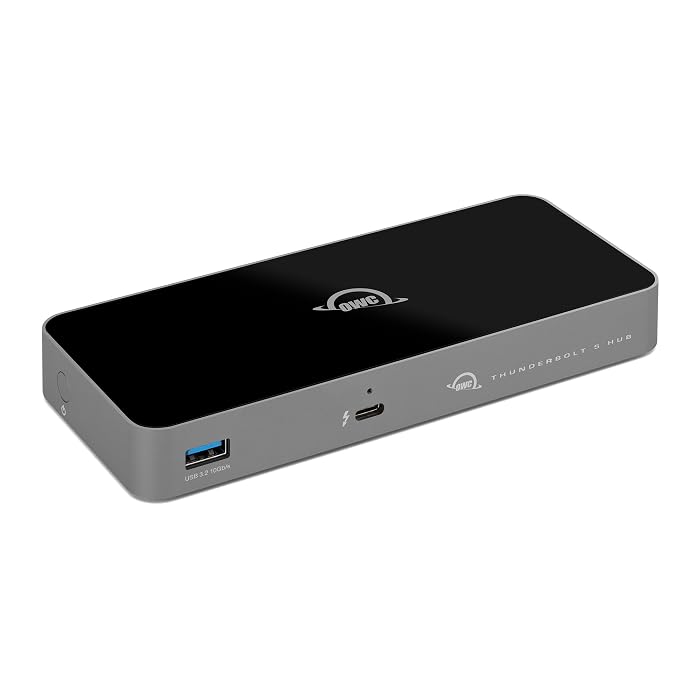
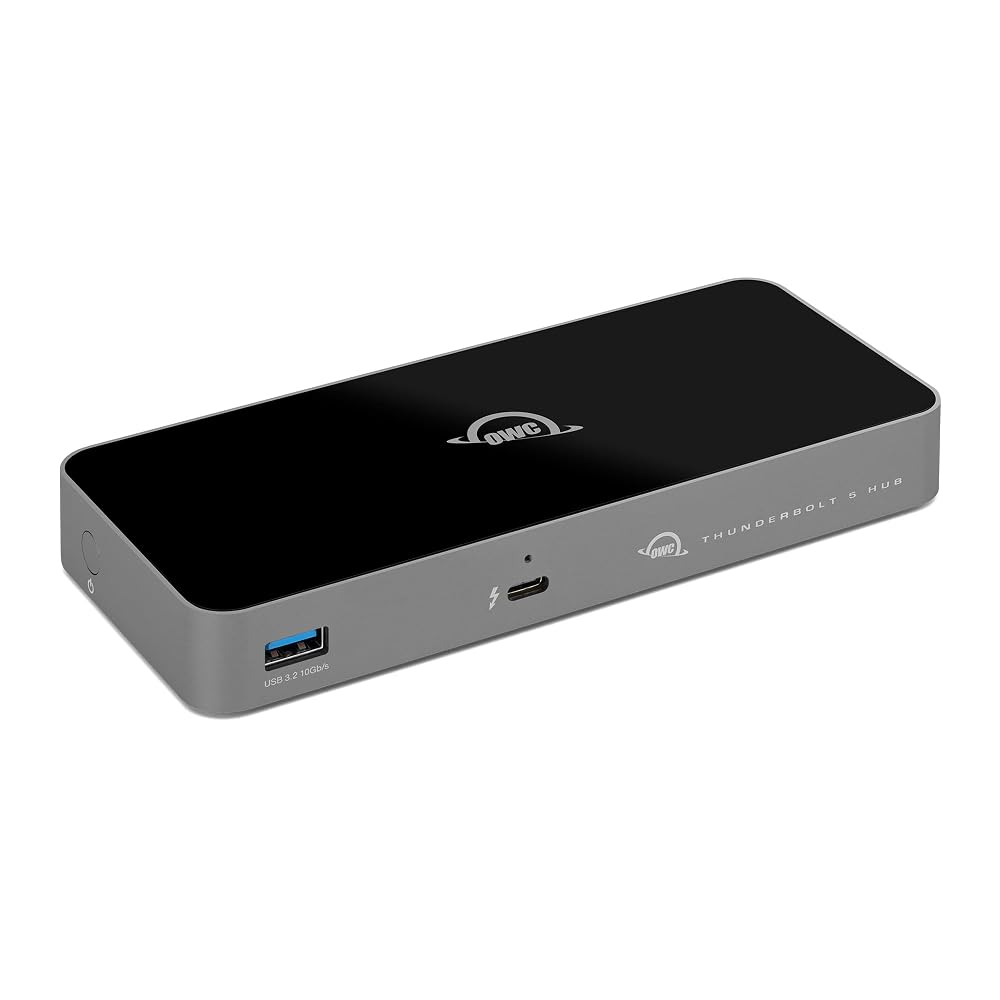
On-location audio recording and voiceover tracking require an environment free of mechanical fan noise. Built inside a fanless aluminum enclosure finished in black and space gray, this hub dissipates internal heat entirely through passive thermal radiation. It remains whisper-quiet even when sustaining multi-gigabyte footage transfers under heavy ambient temperatures.
The rugged exterior measures 7 inches long, 3.1 inches wide, and 0.9 inches high, weighing 382 grams. This low-profile metallic casing withstands the rigors of frequent packing into camera bags while protecting internal circuitry from drops and pressure in transit.
Specs
| Manufacturer | Other World Computing (OWC) |
|---|---|
| Hardware Interface | Thunderbolt |
| Total Ports | 4x Thunderbolt 5, 1x USB-A (10Gb/s) |
| Data Transfer Rate | Up to 80Gb/s bi-directional, up to 120Gb/s Bandwidth Boost |
| Host Power Delivery | Up to 140W |
| Dimensions | 7"L x 3.1"W x 0.9"H |
| Weight | 382 g |
| Enclosure Material | Aluminum (fanless) |
| Minimum OS Requirement | Mac OS 14 Sonoma, Windows 10 |
| Warranty | 2 Year OWC Limited Warranty with Free Tech Support |
Full spec sheet from the listing (24 entries)
| 0 | Hardware Interface, Thunderbolt |
|---|---|
| 1 | Additional Features, Bandwidth Boost for Video Intensive Usage |
| 2 | Compatible Devices, Thunderbolt 5, Thunderbolt 4, Thunderbolt 3, USB4 and USB-C compatibile: Macs, iPads, PCs, Chromebooks, Android tablets, and Surface devices See more |
| 3 | Total Usb Ports, 1 |
| 4 | Data Transfer Rate, 120 gigabits_per_second |
| 5 | Number of Ports, 4 |
| 6 | Minimum Required Operating System Version, Mac OS 14 Sonoma, Windows 10 |
| 7 | Operating System, macOS, Windows |
| 8 | Color, Black/Space Gray |
| 9 | Enclosure Material, Aluminum |
| 10 | Item Dimensions L x W x H, 7"L x 3.1"W x 0.9"H |
| 11 | Item Weight, 382 g |
| 12 | Brand, OWC |
| 13 | Item Highlight, 4x Thunderbolt 5 80/120Gb/s – Up to 140W PD – USB-A 10Gb/s – Compatible with Thunderbolt 5/4/3, USB4 & USB-C |
| 14 | Manufacturer, Other World Computing |
| 15 | UPC, 810159628211 |
| 16 | Number of Items, 1 |
| 17 | Unit Count, 1 Count |
| 18 | Model Number, OWCTB5HUB5P |
| 19 | Mfr Part Number, OWCTB5HUB5P |
| 20 | Warranty Description, No Warranty |
| 21 | Best Sellers Rank, #102 in USB Hubs |
| 22 | ASIN, B0DPKL911T |
| 23 | Special Feature, Bandwidth Boost for Video Intensive Usage |
Quoted from the product listing, not measured by us.
OWC Thunderbolt 5 Hub Pros and Cons
Pros
- Up to 80Gb/s bi-directional speed
- Bandwidth Boost up to 120Gb/s
- Delivers up to 140W charging
- Three independent daisy-chain branches
- Silent fanless aluminum enclosure
Cons
- Large external power supply
- Requires Mac OS 14 or Windows 10
- Single USB-A legacy port
Check OWC Thunderbolt 5 Hub on Amazon
Best Use Cases
- Field video editing setups that require uncompressed read and write speeds to external NVMe scratch disks without bus saturation.
- Mobile media ingest carts where DITs must frequently connect and disconnect bus-powered drives without resetting other connected devices.
- Location workstations needing high 140W charging delivery to keep heavy editing laptops running at maximum clock speeds.
- Multi-display editing environments where external 4K or 8K displays are needed alongside high-speed data peripherals.
Before You Buy
Before purchasing this hub for your kit, confirm your operating system meets the baseline requirements. The listing specifies that the hub requires at least Mac OS 14 Sonoma or Windows 10 for complete operational compatibility. While it works across Thunderbolt 5, Thunderbolt 4, Thunderbolt 3, USB4, and USB-C hardware, connecting it to older operating system builds may prevent full feature detection or restrict device throughput.
Potential buyers should also evaluate the physical footprint when planning an owc thunderbolt hub travel setup. Although the aluminum hub body is compact at 382 grams, the included 140W power supply measures 3 inches by 6 inches by 1 inch and must be connected to mains power for operation. The package includes a dedicated Thunderbolt 5 cable, but the listing does not specify its exact physical length or include additional legacy display adapters.
How It Compares With Similar Picks
| Product | Best For | Key Difference |
|---|---|---|
| OWC Thunderbolt 5 Hub | High-speed mobile video editing and high-wattage host charging | Delivers up to 80Gb/s data, 120Gb/s Bandwidth Boost, and 140W host power delivery. |
| 85W Max PD | General laptop productivity requiring integrated media card slots | Provides 85W maximum power delivery and integrated SD/TF card slots without external brick. |
| 4x USB-C 3.2 Gen 2 | Lightweight travel port expansion for standard USB-C gear | Caps transfer speeds at 10Gbps across four USB-C ports with 100W power passthrough. |
| 3 USB-A Data Ports | Budget-focused setups connecting legacy flash drives and mice | Focuses on three legacy USB-A ports and HDMI video output rather than high-speed Thunderbolt pipelines. |
Choosing an alternative makes sense if your daily workflow does not demand high-bandwidth transfer speeds or intensive host power delivery. The 85W Max PD hub is well-suited for creators who prioritize integrated SD card slots and lower carry weight, while the 4x USB-C 3.2 Gen 2 adapter serves travelers who simply need basic 10Gbps USB-C expansion. Meanwhile, editors exploring larger studio desktop docks might investigate full-sized options such as the caldigit ts5 plus thunderbolt 5 dock when permanent desk connectivity is the priority over mobile packing.

Bottom Line
Determining whether this hardware makes sense comes down to whether your mobile workflow demands top-tier data transfer rates and single-cable charging. With its massive 80Gb/s bi-directional throughput, 120Gb/s video bandwidth headroom, and 140W charging delivery, it easily powers through heavy video timelines and drive offloads.
For mobile editors, digital technicians, and power users who need reliable speed and isolated daisy chaining on location, the hardware justifies its footprint. It serves as an exceptional owc thunderbolt hub portable dock that bridges existing Thunderbolt 4 machines with next-generation production storage.
FAQ
Does the OWC Thunderbolt 5 Hub work with Thunderbolt 4 laptops?
Yes, the hub features complete backward compatibility with Thunderbolt 4, Thunderbolt 3, USB4, and standard USB-C computers. When connected to a Thunderbolt 4 host, it operates reliably up to the maximum 40Gb/s bandwidth supported by that computer’s ports.
How much charging power does the hub deliver to a laptop?
The hub supplies up to 140 watts of Power Delivery directly to the host machine. This provides ample charging capacity to power and charge high-performance mobile workstations under heavy editing loads without depleting the battery.
Can you disconnect one daisy-chained drive without disrupting others?
Yes, the hub allows you to establish three separate daisy chains. This independent branch architecture lets you disconnect or swap a storage drive or memory card reader on one port without disconnecting or disturbing devices running on the other branches.
Does this hub require external power to operate?
Yes, the hub relies on an external power supply measuring 3 inches by 6 inches by 1 inch. It requires connection to mains power to operate the ports, run bus-powered accessories, and deliver up to 140W of charging to your notebook.
Is the OWC Thunderbolt 5 Hub quiet enough for audio recording?
The hub uses a completely fanless aluminum enclosure that dissipates heat passively through the metal chassis. Because there are no internal moving fans, it operates silently, making it safe for use in sound-sensitive recording spaces and quiet edit suites.
How this site works
- 194reviews published
- 2,323products with a buyer rating
- 2,260products with listed features
- 84brands covered
Ratings, prices, stock and specifications are read from the Amazon product listing. We do not run lab tests of our own, so a score here is the average rating left by buyers, not a verdict from a test bench. We track one retailer, so prices here are not a comparison.



