Sony PlayStation VR: Can You Really Pack This Console Rig for Travel?
Packing gaming hardware for travel usually involves balancing graphical performance against luggage bulk. For console gamers spending weeks on the road, in temporary housing, or visiting family, standard mobile screens often lack the immersion they enjoy at home. The Sony PlayStation VR Marvel’s Iron Man VR bundle attempts to solve this by bringing full console-grade…
8 min read




Reviewed
Sony PlayStation VR
Buyer rating
Mixed reaction
Average of 219 Amazon ratings — not a score from testing of our own.
Price today
| Amazon | Not listed | View deal |
|---|
- Sold by Tech Hunter
We track one retailer, so this is not a price comparison. Affiliate link; price and stock come from the listing and change without notice.
What you need to know
- The panel operates at a 90Hz display refresh rate, delivering ninety frames per second to keep fast-paced aerial maneuvers fluid. Sony PlayStation VR Features Explained
- Desk-based or seated virtual reality gameplay that minimizes spatial movement and keeps cable clutter manageable. Best Use Cases
- The listing verifies support across PlayStation 4 and PlayStation 5 systems. Before You Buy
- You should choose the Sony setup only when you already travel with your PlayStation console and prioritize its specific motion-control titles. How It Compares With Similar Picks
- The Sony PlayStation VR bundle delivers a compelling console-powered experience highlighted by its 90Hz OLED display, comfortable halo headband, and the… Bottom Line
One line lifted from each section below — follow the link to read that section in full.
As Amazon Associates, we earn from qualifying purchases. This means we may receive a small commission at no extra cost to you if you click through and make a purchase.
Packing gaming hardware for travel usually involves balancing graphical performance against luggage bulk. For console gamers spending weeks on the road, in temporary housing, or visiting family, standard mobile screens often lack the immersion they enjoy at home. The Sony PlayStation VR Marvel’s Iron Man VR bundle attempts to solve this by bringing full console-grade virtual reality into a single retail box. Equipped with an OLED visor, dual motion wands, and an external tracking camera, the kit delivers physical gameplay that handheld devices cannot duplicate. However, hauling an ecosystem that relies on external processing, multiple interface cables, and a host console introduces real logistical friction for travelers who value packing light.
Our verdict on this bundle centers on portability versus immersion. If you already transport your home console and desire an established gaming library with dynamic hand tracking, the package delivers rich storytelling and tactile repulsor combat right out of the box. But if you want a grab-and-go virtual reality solution that operates cord-free and packs flat into a weekend duffel, this tethered rig requires too much physical space, perimeter calibration, and cable organization to serve as an agile travel companion.
Quick Verdict
The Sony PlayStation VR bundle offers console-driven virtual reality with fluid OLED visuals and responsive hand tracking, though its extensive cabling and camera requirements make it practical only for long-term travel setups.
- Vibrant OLED display with a 90Hz refresh rate and a 110-degree field of view.
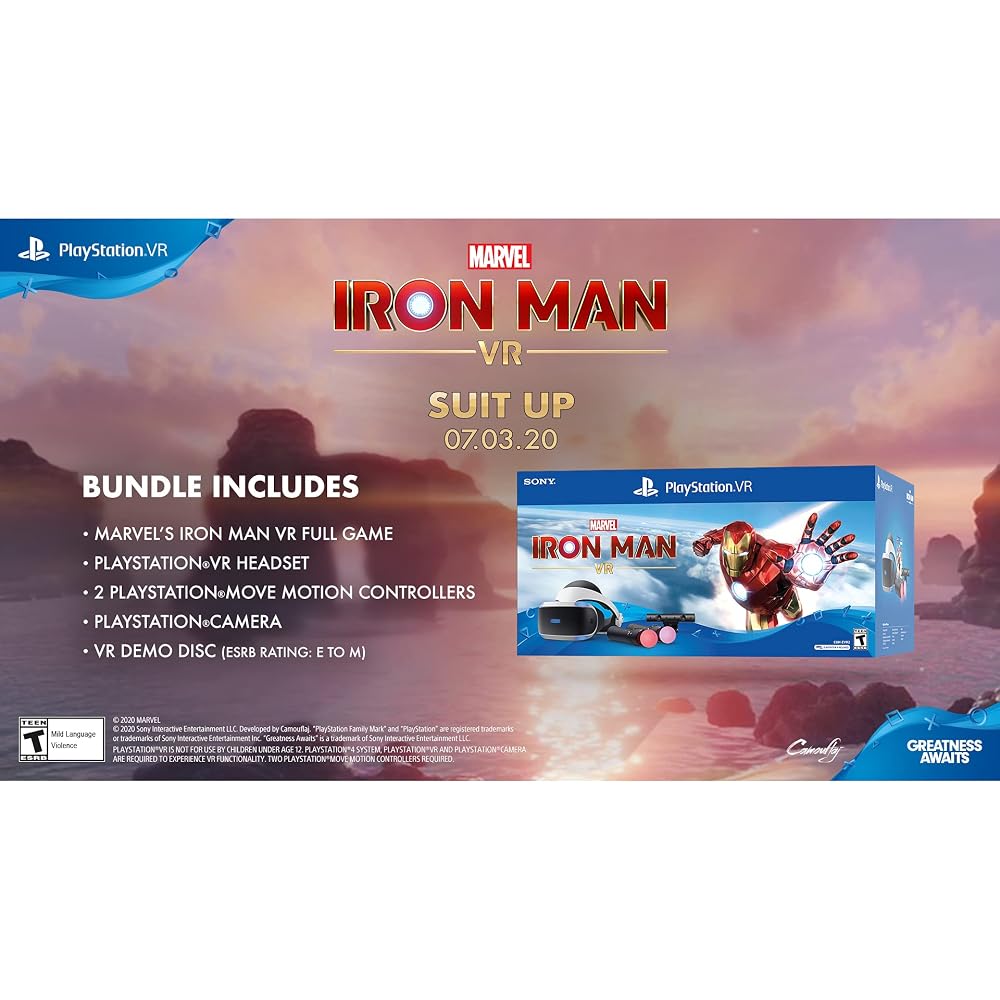
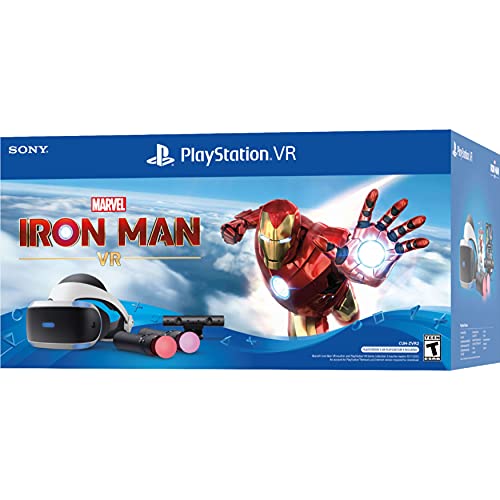
- Complete gaming bundle featuring the headset, PlayStation Camera, and two Move motion controllers.
- Extensive cable setup involving HDMI, USB, and an external processor interface.
- Tethered design requires a host PlayStation console and stable camera placement in every room.
Sony PlayStation VR Features Explained
OLED Display Visuals and Field of View
Visual output in the Sony PlayStation VR headset is driven by an OLED display panel delivering a maximum resolution of 1920×1080 pixels. The OLED architecture provides substantial contrast benefits, rendering deep black tones and rich color saturation that enhance atmospheric depth in virtual spaces. Supported by a 110-degree field of view, the optical design wraps the image broadly around your peripheral vision, ensuring cockpit dashboards and expansive skies feel immersive rather than boxed into a narrow tunnel.
The panel operates at a 90Hz display refresh rate, delivering ninety frames per second to keep fast-paced aerial maneuvers fluid. In flight titles like the bundled Iron Man VR game, this refresh performance minimizes visual tearing and helps curb motion sickness when banking sharply around obstacles. While the 1080p panel delivers less raw pixel density than newer standalone visors, the rapid response time of the OLED screen maintains solid motion clarity throughout active play sessions.
Dual Move Motion Controllers and Sensor Tracking
Physical interaction relies on two included PlayStation Move motion controllers alongside internal headset sensors. The visor incorporates an accelerometer, a gyroscope, and a proximity sensor to track head movements across tilt, pitch, and yaw. These internal sensors communicate rapidly with your console, translating head turns and dodging gestures into immediate in-game motion.
The ps vr move controllers feature illuminated tracking spheres and physical trigger buttons that translate arm gestures into gameplay actions. In Marvel’s Iron Man VR, tilting your palms downward engages thrusters, while aiming forward triggers repulsor blasts. Because these controllers communicate optically with the external camera rather than through inside-out tracking rings, maintaining an uninterrupted line of sight is essential for smooth input recognition.
PlayStation Camera Setup and Environmental Requirements
Unlike modern headsets with integrated tracking cameras on the visor, the sony playstation vr setup requires an external PlayStation Camera positioned directly in front of the play area. This dual-lens camera tracks the glowing LEDs on the headset and Move controllers to pinpoint your location in three-dimensional space. While stable in a dedicated home living room, setting up this camera in a hotel or temporary bedroom requires finding an elevated, level surface roughly five to eight feet away.
Ambient lighting conditions significantly impact camera tracking performance. Direct sunlight, reflective glass surfaces, or intense background lamps can confuse the optical sensors, leading to controller jitter or orientation drift. Travelers deploying sony playstation vr for travel must carefully survey each temporary room, adjusting curtains and lamps to ensure the tracking camera can reliably isolate the illuminated peripherals.
Console Architecture and Cable Management
The headset functions strictly as a tethered console accessory rather than an independent computing device. Operation requires connecting the visor to an external processor unit, which then routes audio, video, and data to your host console through HDMI and USB lines. This console-powered architecture allows the headset to tap into substantial computing performance, but it requires continuous power and physical cable links.
Mastering sony playstation vr cable management is essential when living out of a suitcase. The combination of headset umbilical cables, processor power bricks, camera cords, and console leads creates a noticeable footprint across hotel desks and media stands. Keeping these cables organized requires dedicated ties or straps to avoid clutter and prevent accidental tripping hazards during blindfolded VR gameplay.
Specs
| Display Panel | OLED |
|---|---|
| Maximum Resolution | 1920×1080 pixels |
| Refresh Rate | 90 Hz |
| Field of View | 110 degrees |
| Tracking Sensors | Proximity, Gyroscope, Accelerometer |
| Connector Type | HDMI, USB |
| Host Platform | PlayStation (PS4, PS5 Compatible) |
| Operating System | Playstation |
| Included Controllers | Dual PlayStation Move Motion Controllers |
| Software Included | Marvel's Iron Man VR Game, Demo Disc 3.0 |
| Warranty | Limited |
Quoted from the product listing, not measured by us.
Sony PlayStation VR Pros and Cons
Pros
- Smooth 90Hz OLED display panel
- Wide 110-degree field of view
- Includes dual PlayStation Move motion controllers
- Bundled with Marvel’s Iron Man VR game
- Responsive motion tracking via integrated sensors
Cons
- Requires multiple tethered HDMI and USB cables
- Requires external PlayStation Camera placement
- Dependent on a host PlayStation console
- Rigid non-folding headband increases packing size
Check Sony PlayStation VR on Amazon
Best Use Cases
- Extended stays in corporate apartments or vacation homes where you have space to position a console and camera.
- Motion-controlled gaming sessions where dual Move controllers provide physical flight and shooting mechanics.
- Dedicated PlayStation console owners who want an OLED headset to explore existing console VR libraries.
- Desk-based or seated virtual reality gameplay that minimizes spatial movement and keeps cable clutter manageable.
Before You Buy
Before purchasing this hardware for travel gaming, confirm your console compatibility and adapter requirements. The listing verifies support across PlayStation 4 and PlayStation 5 systems. However, players connecting the headset to modern hardware revisions such as the playstation 5 slim or the disc-free playstation 5 digital edition should note that the original PlayStation Camera connector requires a specialized USB adapter on PS5 machines. The product listing does not specify whether this camera adapter is supplied in the box, meaning you may need to confirm adapter availability before leaving on a trip.
Additionally, travelers must carefully assess playstation vr packing size before loading up luggage. The bundle includes the headset, PlayStation Camera, dual Move controllers, Marvel’s Iron Man VR digital code or disc, and Demo Disc 3.0, but the listing does not specify an included protective carry case or lens shroud. Because the rigid halo head strap and protruding visor do not collapse flat, the unit occupies substantial volume in a backpack or carry-on, necessitating a padded third-party case to protect the lenses from pressure damage in transit.
How It Compares With Similar Picks
| Product | Best For | Key Difference |
|---|---|---|
| Sony PlayStation VR | Console gamers seeking immersive OLED PlayStation titles | Tethered system requiring a host console, external camera, and multiple cables |
| Meta Quest 3S 128GB | Mobile travelers wanting self-contained wireless virtual reality | Standalone all-in-one design bundled with Gorilla Tag and integrated computing |
| Includes 512GB headset | Users requiring extensive on-device storage for games and media | Self-contained 512GB standalone headset with included charging cable and power adapter |
| Oculus Quest 2 Advanced All-in-One | Straightforward standalone VR without console tethering | Independent 128GB wireless headset operating without external sensors or consoles |
Choosing an alternative comes down to how much gear you are willing to haul. If your priority is rapid setup, zero external cables, and self-contained computing inside a single carry-on bag, standalone options like the Meta Quest 3S 128GB, the expanded Includes 512GB headset configuration, or the Oculus Quest 2 Advanced All-in-One are vastly more travel-friendly. You should choose the Sony setup only when you already travel with your PlayStation console and prioritize its specific motion-control titles.

Bottom Line
The Sony PlayStation VR bundle delivers a compelling console-powered experience highlighted by its 90Hz OLED display, comfortable halo headband, and the entertaining superhero aerial mechanics of the ps vr iron man bundle. For gamers who relocate for weeks at a time and intend to keep a console permanently connected in their temporary quarters, this package offers deep virtual reality immersion backed by a mature software library.
However, when evaluating playstation vr portability for short trips or lightweight travel, the hardware presents clear trade-offs. The bulky non-folding headband, multi-cable processor box, and sensitive external camera make setup cumbersome in confined spaces. If you need a hassle-free, grab-and-go virtual reality rig for hotels, standalone headsets remain far more practical, but console purists willing to manage the cables will find plenty of gaming value here.
FAQ
Can you use the Sony PlayStation VR without a TV screen while traveling?
Yes, once the host PlayStation console is turned on and running, the Sony PlayStation VR headset displays the console feed directly inside its OLED visor. This allows you to navigate menus and play games without connecting an external television in your hotel room. However, you still require a functioning wall power outlet for both the console and the headset processor unit.
Is Sony PlayStation VR worth it for travelers on short trips?
When asking is sony playstation vr worth it for quick weekend getaways, the answer depends on your packing tolerance. The time required to route HDMI cables, position the PlayStation Camera, connect the processor unit, and ensure adequate tracking space often outweighs the benefits for short stays. Standalone wireless headsets offer far greater convenience when time and luggage space are limited.
How does the external camera affect travel room setups?
Because the external PlayStation Camera requires a stable perch roughly five to eight feet from your standing or seated position, temporary rooms can present real placement hurdles. Desks positioned too close to the bed, uneven furniture, and harsh backlighting from hotel windows can disrupt optical tracking, requiring you to rearrange furniture to create an unobstructed line of sight.
Can you connect this headset to modern hardware like the PS5?
The bundle listing lists compatibility across PlayStation 4 and PlayStation 5 consoles. If you travel with high-end hardware like a play station 5 pro, the headset works as intended, though the legacy camera connector requires a PlayStation Camera adapter that is not explicitly detailed as included in this specific retail listing.
Does the listing include a dedicated travel case for transport?
The listing does not specify any carrying case, travel sleeve, or lens protector in the box. Because the rigid headband does not fold down and the optical lenses require protection from dust and scratches, travelers should purchase a molded third-party carrying case to ensure the headset and Move controllers remain safe in transit.
How this site works
- 194reviews published
- 2,323products with a buyer rating
- 2,260products with listed features
- 84brands covered
Ratings, prices, stock and specifications are read from the Amazon product listing. We do not run lab tests of our own, so a score here is the average rating left by buyers, not a verdict from a test bench. We track one retailer, so prices here are not a comparison.



